Precise AI that finds the skin and retouches it naturally.
Texture stays; only what needs fixing is cleaned up.


 Super Retouch
Rendered with the actual effect in Premiere Pro.
Over 60 controls refine skin, face shape, makeup and body.
It stays natural frame after frame, even in moving footage.
Texture stays; only what needs fixing is cleaned up.
Hair and background move with it, so the face never looks warped on its own.
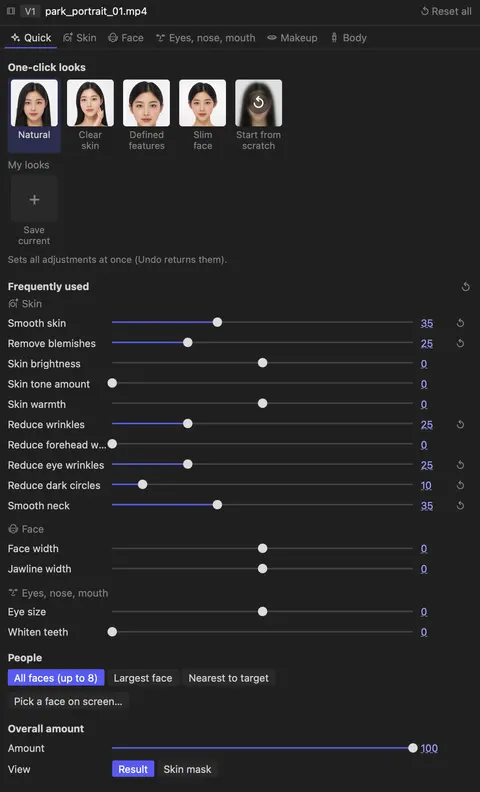
Pick a look in the panel installed with the effect, then refine it tab by tab.
Common shots and single features, shown with Super Retouch on and off.
The “Natural retouch” one-click look. Texture and tone stay; only roughness and redness are cleaned up.
It looks at neighbouring frames together, so the retouch doesn’t flicker when heads turn or people move fast.
Set the area to stretch yourself, and only the legs get longer, steady even in walking shots.
The “Slim face” one-click look. Face size, jawline and cheekbones are refined together.
Up to 8 people in one frame, each face found and retouched on its own.
Brightens only the skin tone. Hair and background stay as they are.
Evens out bumps and rough texture while keeping fine texture.
Small blemishes like acne, moles and freckles are filled with the surrounding skin.
Reducing dark circles and eye wrinkles together makes the shadow under the eyes much lighter.
Brightens the whites and irises together for a clearer gaze.
The example for this scene is on its way.
From your next edit, retouch right inside Premiere.
Buy once and keep using it, with a refund available within 14 days.
Regular price $99.99−54%
$45.99
No more scrolling through the long Effect Controls list. Start with a one-click look and refine only what you need in the tabs. Save your own settings and reuse them on your next video.
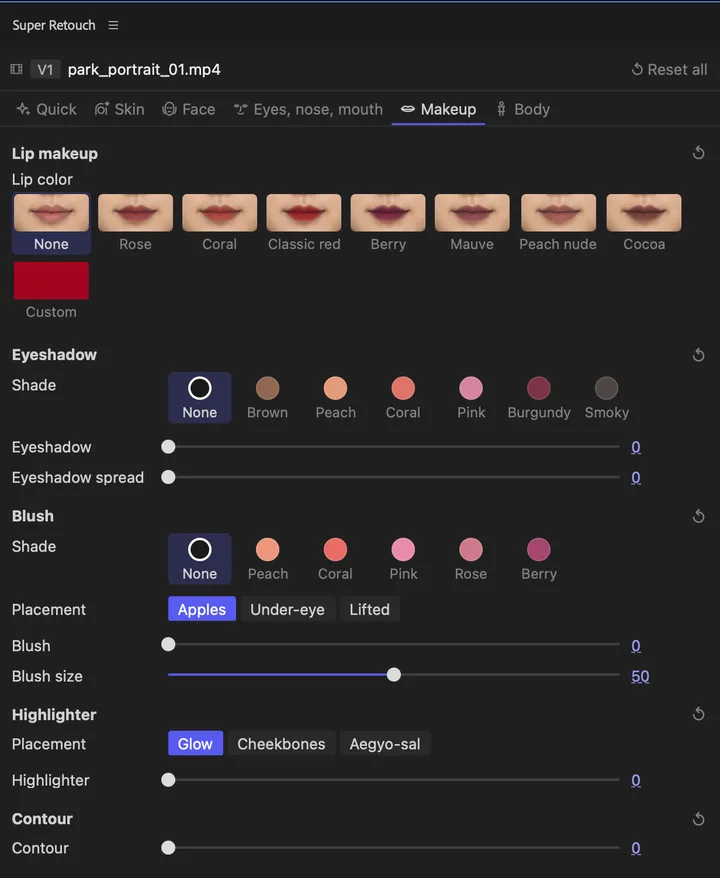
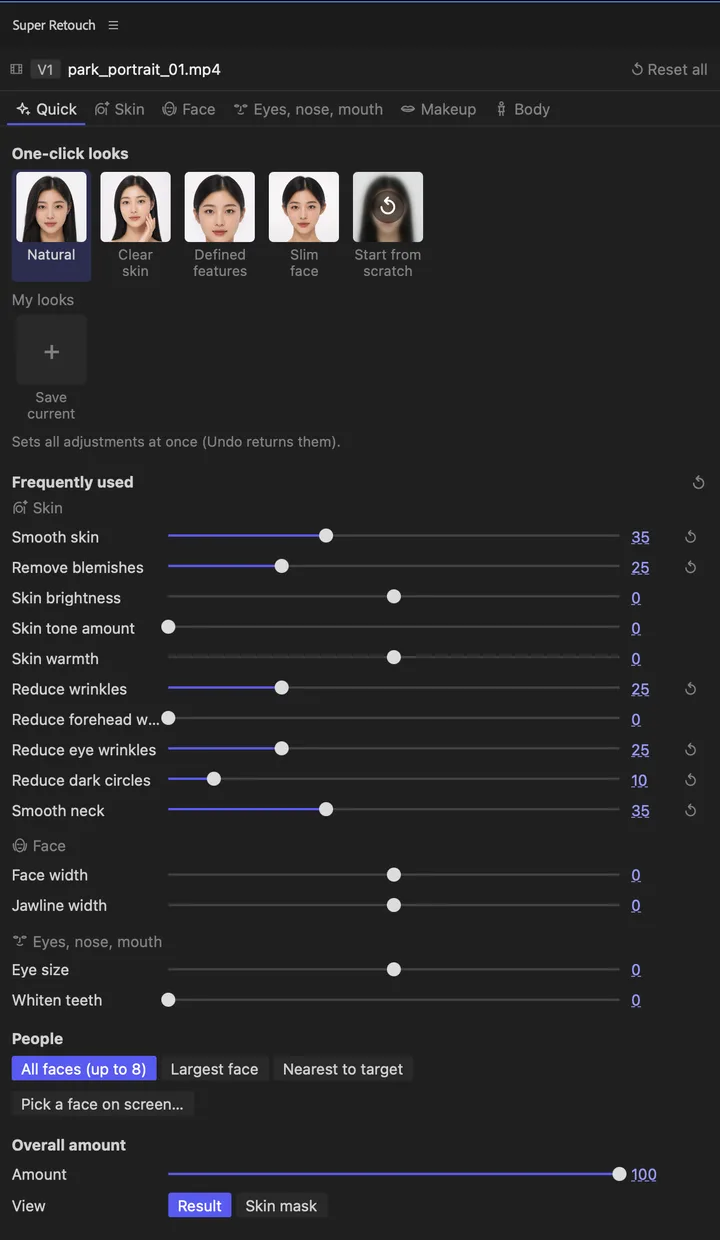
Use it right inside your usual Premiere Pro edit.
Select a clip and click Add Super Retouch in the panel. You can also drag it from the Effects panel.
Press “Natural retouch” in the panel, then refine only what you need.
Export as you always do. Keyframes and Media Encoder work as usual.
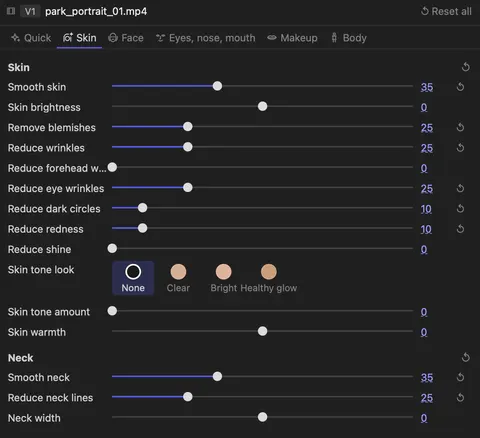
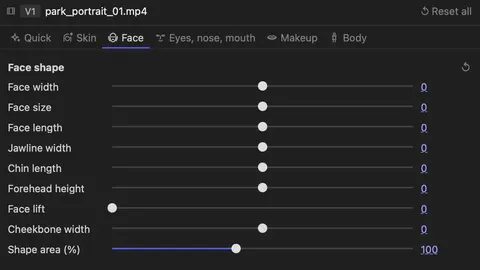
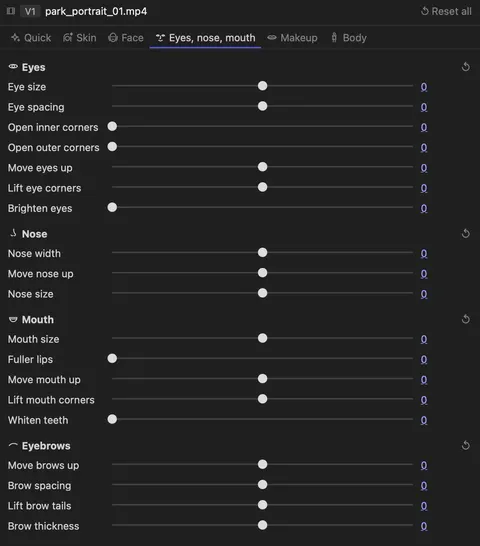
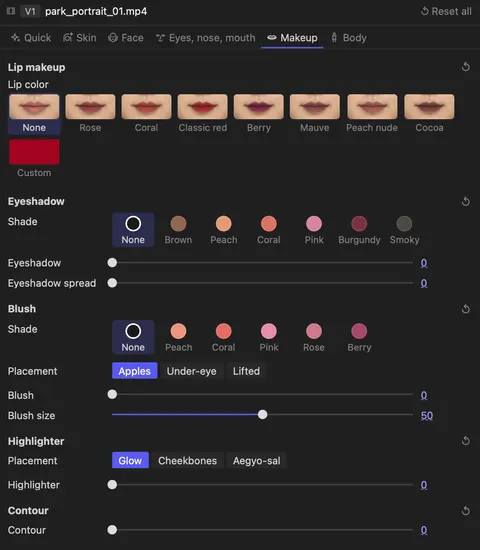
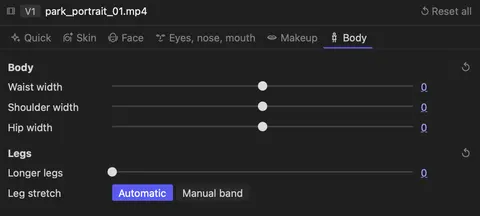
Over 60 controls, from skin to body, in the dedicated panel. Tap a tab to look inside.
Skin
Neck
Face shape
Details
Eyes
Nose
Mouth
Brows
Lips
Blush
Eyes and contour
Body
Legs
Finding and retouching faces happens entirely on your computer. Client footage stays safe.
Real export times for 4K footage with the retouch on. It takes roughly two to three times the clip’s length.
Measured in Premiere Pro 2026 with development builds from October–November 2026. Times vary with the controls used, the number of faces and the computer.
Similar retouching tools are subscriptions or cost far more. Super Retouch is a one-time purchase.
US prices from each company’s official website on 4 November 2026, before tax. Red Giant is a subscription with many tools besides Cosmo, shown billed annually ($85 billed monthly). Super Retouch shows the open beta early-bird price.
Super Retouch requires Adobe Premiere Pro 25.6 or later. On Mac, you need Apple Silicon (M1 or later) and macOS 14 or later. On Windows, you need 64-bit Windows 11 with a GPU that supports DirectX 11. Intel Macs are not supported.
It is a one-time purchase for a personal perpetual license. One person can activate it on up to two devices. Premiere Pro and Media Encoder on the same device count as one. There is no monthly subscription fee.
Retouching runs on your own computer, and your footage is never sent elsewhere. The license is checked online once a day, and you can keep working for 24 hours if your connection drops. Until you activate it, a small watermark appears on the retouched result.
It’s built for footage with people in it, such as interviews, vlogs, ads and music videos where faces are visible. It retouches up to 8 people in a frame. When a face is very small, seen from behind or in full profile, face shape and eye, nose and mouth adjustments weaken or turn off, while skin retouching continues.
Analyzing faces takes extra time. The analysis runs the first time you play a clip and is saved, so it’s faster when you watch again. Exporting a 20-second vertical 4K clip with several adjustments turned on took about 1 minute on our test PC.
We tested with Premiere Pro 2026 on a Mac mini (Apple M4 Pro, 24 GB memory) and a Windows 11 PC (AMD Ryzen 9 5950X, 64 GB memory, NVIDIA GeForce RTX 5070 Ti). It also runs on less powerful computers, but analysis and export may take longer.
Super Retouch. No subscription.
 Super Retouch
Open beta early birdRegular price $99.99−54%
$45.99
Personal license for up to 2 devices
This price is for the open beta only.
BuyRefunds within 14 days
Premiere Pro 25.6 or later / macOS (Apple Silicon), Windows 11
14Days
Use every feature for 14 days after purchase. If it doesn’t suit your work, request a refund right from Billing history in your account.
View refund policyPeople in the photos and videos come from Pexels free-license material; every retouched result was rendered with Super Retouch.
Super Retouch
Ends in 7days00hrs00min00sec
Regular price $99.99−54%
$45.99