Apply motion blur
Move Motion into a separate Transform effect and add motion blur.


One click for curves. One click for everything else.
Premiere Pro 26.0+ / macOS & Windows
Create your animation, then pick a curve. Turn a flat linear move into motion with character.
From smooth deceleration to a playful bounce. Apply your favorite animation curve right from the panel.
Turn on All to transform the clip’s animations together.
Turn off All to change the motion only in the intervals you choose between keyframes.
Dock it where you work. Shrink it to the size you need. Right at home beside your timeline.
Entrances, exits, sizing, alignment, rotation, adjustment layers and pasted media. Put repetitive work on a quick button.
Add entrance and exit animations to the start and end of a clip in one click. Set their length in the panel.
Reset Motion and size a photo or video to the frame.
Align every selected clip to the frame at once.
Turn the selected clips 90° with each click.
Create the clip you need right above the selection.
Reorder your buttons. Add what you need. Remove what you don’t. Group them with dividers and spaces, and move several at once.

Move Motion into a separate Transform effect and add motion blur.
The toolbar adapts to your panel’s proportions.

Shape a curve with Bézier handles, save it and use it again.
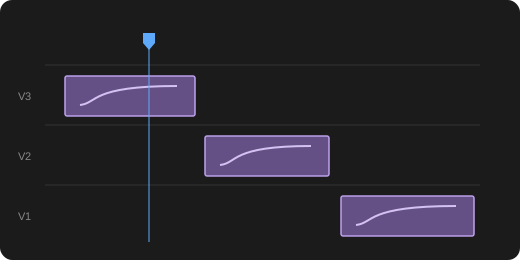
Apply the same animation curve to supported keyframes across multiple clips at once.
Choose a ready-made animation curve to apply smooth motion, or save your own curves to reuse. Apply the same curve to supported keyframes across multiple clips to reduce repetitive work.
Super Pad requires Adobe Premiere Pro 26.0 or later and supports macOS and Windows.
It is a one-time purchase for a personal perpetual license. One person can activate it on up to two devices. There is no monthly subscription fee.
Organization licenses start at five seats for the first purchase and one seat for additional purchases. Each member uses an assigned seat on their own account, including the buyer if they want to use the product. Members do not share one account.
The panel supports English, Japanese and Korean. Choose a language the first time you open it, and change it later from the panel menu.
Animation curves work with supported numeric and 2D position keyframes. Turn All on to process supported properties that have keyframes together, or turn it off to choose properties and intervals. Opacity and Slide work on one selected clip. Motion blur support depends on the clip and effects. Curves also work on speed-changed clips, and Linear removes the curve and restores the original keyframes.
Super Pad. No subscription.
 Super Pad
Thank-you saleRegular price $29.99−16%
Ends in 14days00hrs00min00sec
US$24.99
Personal license for up to 2 devices
Buy nowRefunds within 14 days
Adobe Premiere Pro 26.0+ macOS / Windows
Use every feature for 14 days after purchase. If it doesn’t suit your work, request a refund right from Billing history in your account.
View refund policySuper Pad
Ends in 14days00hrs00min00sec
Regular price $29.99−16%
US$24.99